Example: Simple table with accessibility markup
This section is non-normative.
In this scenario, the topic author uses a header row and the @keycol
attribute to ensure that the table is accessible.
In the following code sample, the <sthead>
element identifies the header row, and @keycol
attribute identifies the header column:
<simpletable frame="all" relcolwidth="1* 1*" keycol="1">
  <sthead>
    <stentry>Type of room</stentry>
    <stentry>Price per day</stentry>
  </sthead>
  <strow>
    <stentry>Single bed</stentry>
    <stentry>$125.00</stentry>
  </strow>
  <strow>
    <stentry>Two double beds</stentry>
    <stentry>$150.00</stentry>
  </strow>
  <strow>
    <stentry>Queen or king bed</stentry>
    <stentry>$165.00</stentry>
  </strow>
</simpletable>
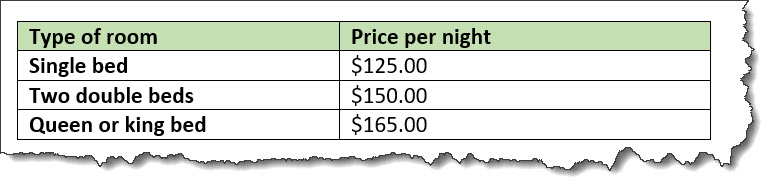
This table might be rendered in the following way: